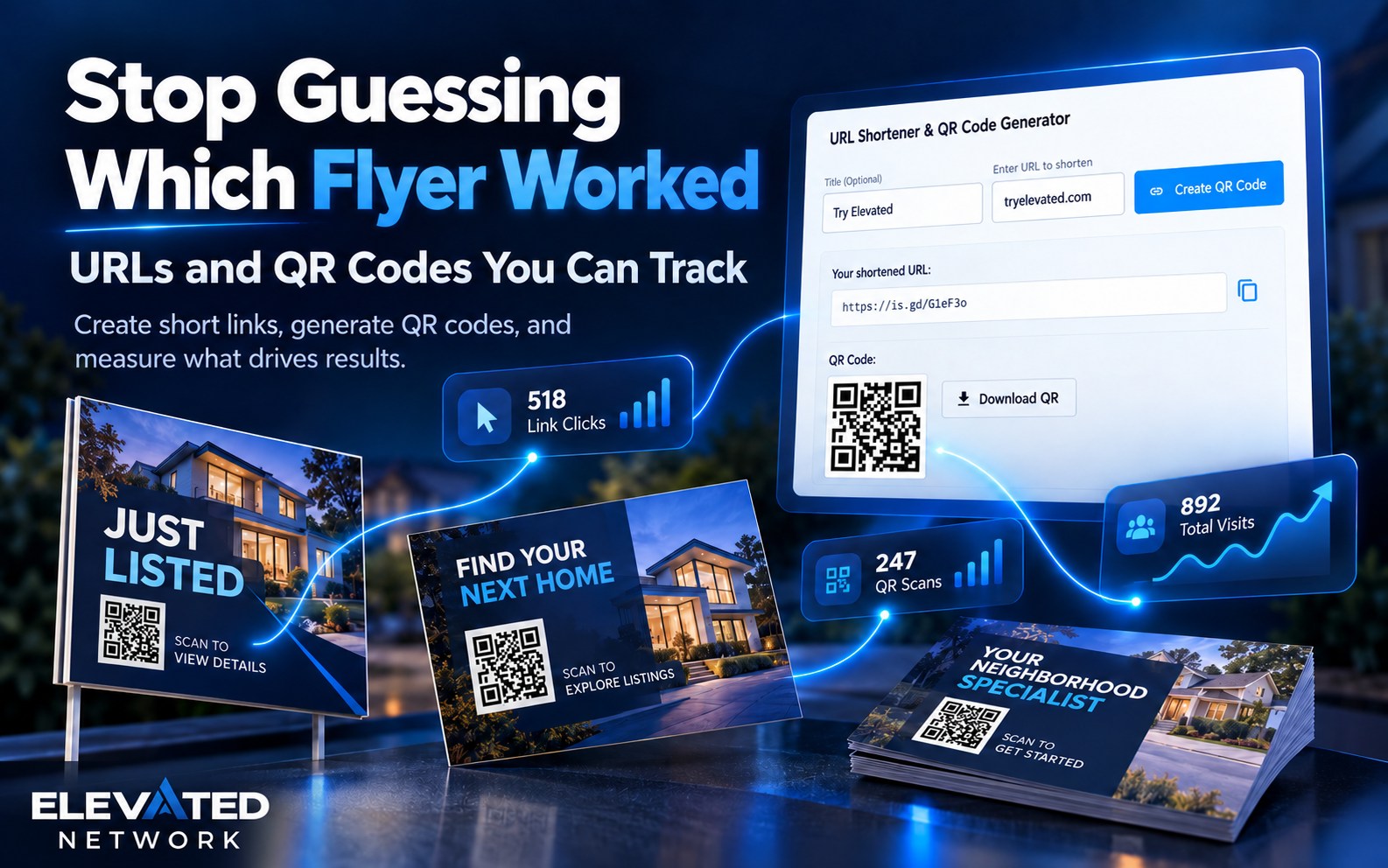
What if you could:
- Paste a property site, guestbook, or home-value page and get an
enurl.colink plus a QR - Put the short link in texts and the QR on the sign — same destination
- Read Clicks & Scans after Saturday instead of guessing
- Change the destination later without reprinting the short URL
- Turn a link off without deleting the string you already handed out
You already print, post, and text links. The missing piece is usually proof. When every piece uses the same long listing URL, you cannot tell what worked.
You create the page you point at (property site, guestbook). This tool tracks the link. Ask Emma does not read the stats for you.
What is URL's & QR Codes?
Marketing → URL's & QR Codes — “URL Shortener & QR Code Generator.” Optional title, destination URL, Create QR Code. You get a copyable short URL and a downloadable/copyable QR. History: title, original, short URL, QR, Clicks & Scans, created date, search, stats, edit, delete.
1. One destination, two formats
The problem: A long URL dies on a sign. A QR with no short link is useless in a text.
What you can do: Short link for SMS/email. QR for print and the guestbook table.
Example: Title it “Oak St open house — April.” Paste the guestbook URL.
2. History is the feature people skip
The problem: “The event was quiet” is a feeling.
What you can do: Clicks & Scans = all-time short-link opens and QR scans. View Stats shows totals, both URLs, created time.
Example: Monday morning, open Stats before you decide nobody came.
3. Edit without reprinting the universe
The problem: A thousand postcards already have the short URL.
What you can do: Change destination. Title up to 200 characters. Uncheck Link is active to stop redirects. Delete only when the campaign is truly over.
Example: Point last month’s farm QR at the new home-value page.
Do not reuse one generic link
Create a dedicated short URL for this listing’s SPW, this weekend’s guestbook, this farm’s home-value page, this neighborhood’s buyer page. Separate links are how you learn. Separate QRs keep the sign and the newsletter from sharing one number.
How it compares
| Factor | Elevated short URL + QR | Same long MLS link everywhere | Random shortener |
|---|---|---|---|
| Proof | Clicks & Scans | None | Maybe, extra login |
| After print | Edit destination | Stuck | Depends |
| Next to CRM | Same account | N/A | Another tab |
Five minutes, one live campaign
- Open Marketing → URL's & QR Codes.
- Paste the page you actually want.
- Name it like a human.
- Copy the short URL into the text you will send.
- Download the QR onto the flyer or stand.
- After the weekend, View Stats.
If the count is low, the offer or the placement may be the problem — not your memory.
Common questions
Q: Does a scan create a contact automatically?
A: No. A QR or short link counts Clicks & Scans and opens a page. It does not collect their mobile number. You only get a contact if they submit a form or guestbook on that page. If you want the phone, the opt-in, and the info sent back by text immediately, use a text-to-code on the same flyer — that is the capture tool. QR is for measuring looks.
Q: Should I print a QR or a text-to-code?
A: Lead with the text-to-code when you want a lead. Add a QR if you also want scan stats or a visual backup. Do not rely on QR alone for capture.
Q: Is this extra?
A: Marketing tool on membership ($49.99/month new-member pricing).
Q: Can Emma read the stats for me?
A: You can ask how to get there. You still open View Stats.
The bottom line
QR and short links tell you who looked. They do not give you a phone. Text-to-codes give you the number, the opt-in, and an instant reply. Use both on purpose — do not confuse a scan count with a lead.
Ready to track one real piece?
Sign in and create a link for this week’s live page. Prospects: start a 14-day trial and pair a QR with a guestbook or SPW.
Start Your Free Trial → (opens in new window)
Card required to prevent spam; you will not be charged if you cancel before the trial ends. Cancel anytime in account settings.