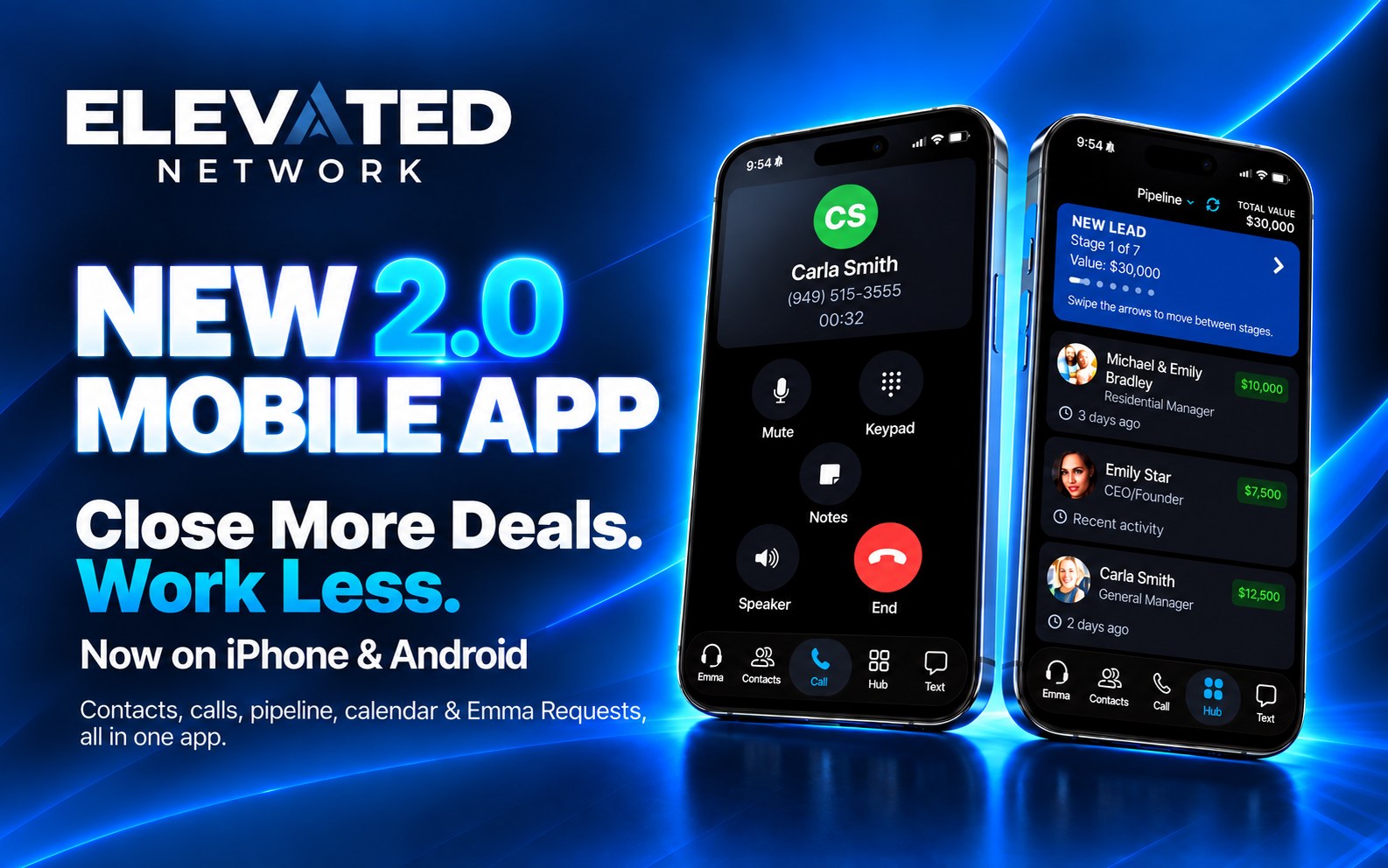
Elevated Network Mobile App 2.0 is now on the Apple App Store and Google Play Store. Apple and Google have both approved it.
This is not a small update. It is a complete rebuild of the mobile experience, so the same CRM you use on the desktop is easier to carry in your pocket.
Search Elevated Network in the store, or tap below. If you already have the app, update it.
Download on the App Store → (opens in new window)
Get it on Google Play → (opens in new window)
Full CRM in your pocket
Manage contacts, move leads, and keep activity going without waiting until you are back at a desk.
- Contacts
Search, open a record, and see activity on the same database as the web app. - Lead pipeline
Update stages on the go so the board stays current. - Calendar and tasks
See what is due and keep follow-up attached to the real contact. - A faster, redesigned interface
Built for how members actually use the phone between showings.
What you see still depends on your services, permissions, and account flags.
Calling and the call list dialer
Call from the app, log the conversation, and keep going. The call list dialer is there when you need to work a list.
- Integrated calling
Place calls from the app, with built-in voicemail in beta. - Call list dialer
Work through prospecting and follow-up lists without bouncing to your personal recents. - Text messaging
Communication tools that stay with the contact, not only in your phone’s Messages app.
Calling is not on every account yet. Text and calling need an Elevated phone number (costs extra). Calling and the dialer use your monthly credit allotment, same idea as email, SMS, and Emma credits. This is you on the phone. It is not Ask Emma talking to leads.
More on web calling is in Call From Elevated.
Emma Requests on the phone
Emma Requests is now in the app. That is the form catalog: listing packages, flyers, open house guestbooks, and other known jobs you can submit from your phone. It comes with the Marketing Assistant add-on, and our team builds what you request.
This is not the Ask Emma chatbot. Ask Emma lives in the top bar on the web app and is rolling out to accounts now. She is not in the mobile app. Use Requests when you want the structured form. Use Ask Emma when you want to describe the work in chat.
Identify CRM callers
When a contact in your Elevated Network CRM calls you, the app can show who it is before you answer. No more guessing from a number you do not recognize.
How to turn it on
iPhone
- Open the Elevated Network app, go to Settings, and turn on Identify CRM Callers.
- Then open iPhone Settings → Phone → Call Blocking & Identification and turn on Elevated Network.
Android
- Open the Elevated Network app, go to Settings, and turn on Identify CRM Callers. That is it.
Download App 2.0
Ready to take the new platform with you? Install or update today.
App Store (opens in new window) · Google Play (opens in new window)
The new web platform and App 2.0 are the same membership. Sign in with the email and password you already use.
If you need a hand, the knowledge base (opens in new window) is the fastest place to look. Call Emma 24/7 at (866) 582-Emma is AI phone support. That is separate from the dialer in the app.
If you are not a member yet
New-member pricing is $49.99 per user / month. The trial is 14 days. Card required to prevent spam. You are not charged if you cancel before it ends.
Start a 14-day trial → (opens in new window)
Then download the app with the same login.
The bottom line
App 2.0 is live on iPhone and Android. Contacts, pipeline, calendar, calling, Emma Requests, and CRM caller ID in one app.
We are just getting started.
The Elevated Team